Rental area management view
You can access the Rental area management view through both Inrent and Outrent headers.
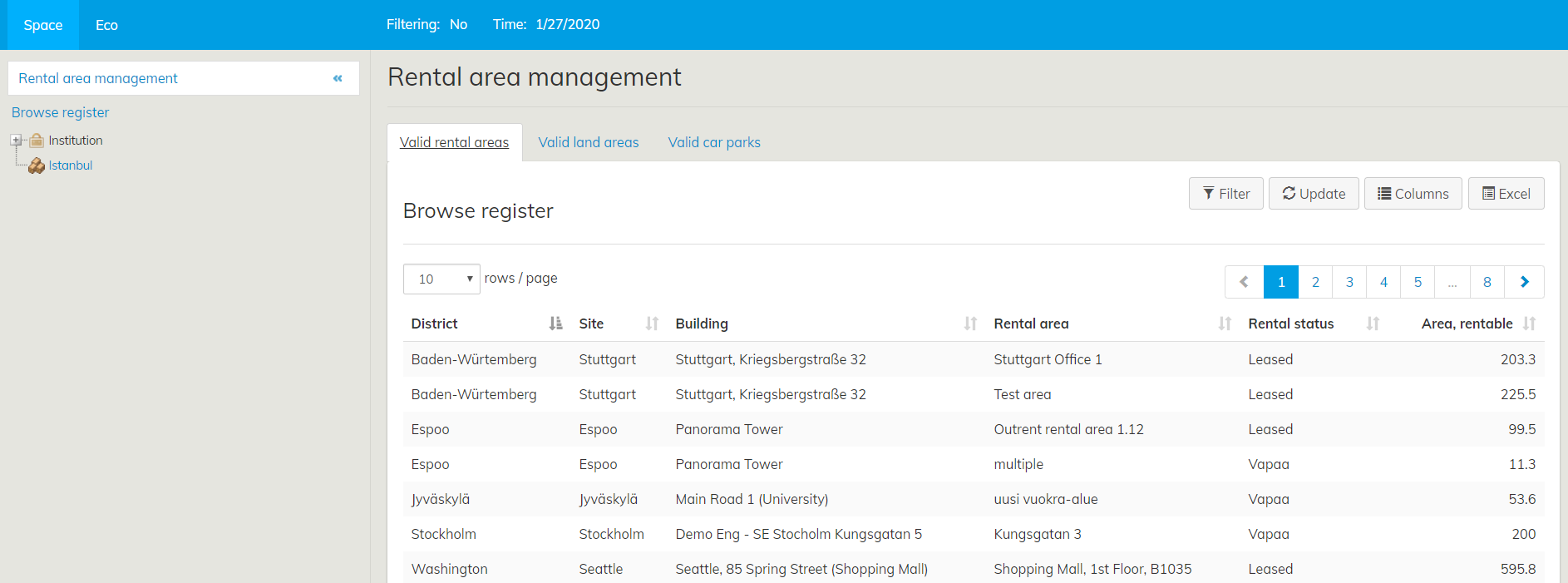
By clicking the Rental area management icon under Outrent or Inrent the Browse register window will open. Detailed instructions to Browse registeri function you will find Property and building register instruction.
Selecting rental areas
You can select rental areas in the Browse register view by clicking the name of the Rental area or you can select rental areas through search, from the building summary page under Inrent rental area, and also from draft agreement forms.
Selecting rental areas with the search tool
You can use search to find rental areas in a certain building, for example. If you need more instructions on how to use search, see the section Search.
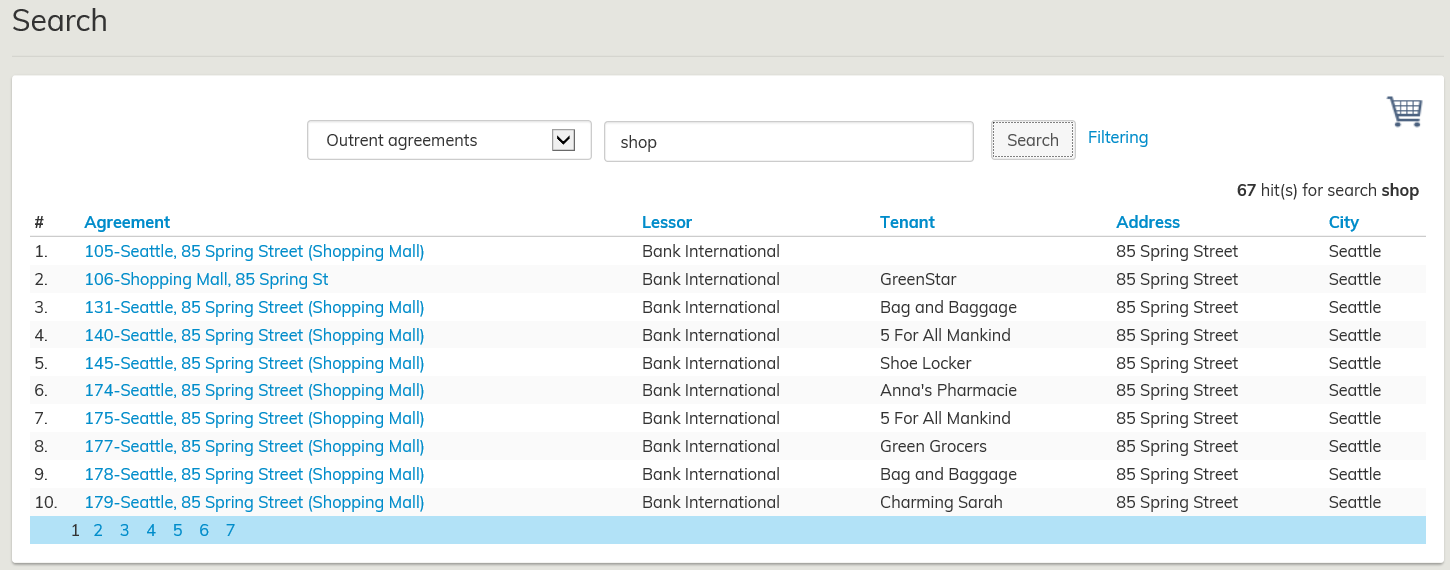
Click search, and a list of rental areas will open up. You can select a rental area by clicking on the rental area name.
If there are several rental areas matching the search criteria, they will be divided onto several pages according to settings. You can select rental areas from all pages.
By clicking on the name of the rental area or building, you can edit the rental area and create agreements.
Selecting rental areas by using the building summary page
Open the building summary page from rental area management.
From Rental areas in the building summary page, you can select rental areas that have been created for the building. Once you have selected the desired rental area, you can create an inrent agreement from the rental area summary page.
Target rent of the rental area
You can set a target rent for the rental areas, and this will be used as a default rent in the agreement.
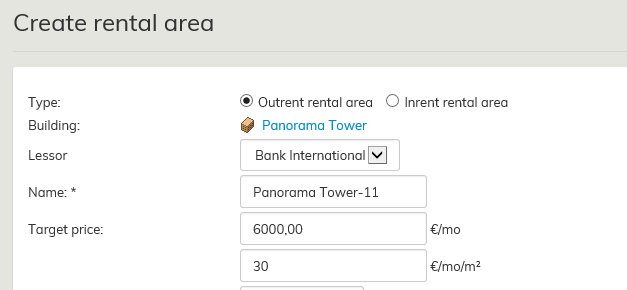
For more information, see the section Rental area target price
uokra-alueen hallinnalla tarkoitetaan tässä ohjeessa vuokra-alueen, maa-alueen tai pysäköintialueen hallintaa
Vuokra-alueiden valitseminen
Voit valita vuokra-alueita joko haun tai sisäänvuokrausaluerekisteristä rakennuksen koontilomakkeen kautta sekä luonnossopimuslomakkeelta.
Vuokra-alueiden valitseminen haun avulla
Voit hakea haun avulla esimerkiksi tietyn rakennuksen vuokra-alueita. Hakua on käsitelty tarkemmin Käyttöohjeiden kohdassa Haku.
Hakutuloksena on listaus vuokra-alueista. Voit valita vuokra-alueen painamalla halutun alueen nimeä.
Mikäli hakukriteerejä vastaavia vuokra-alueita on paljon, ne on asetusten mukaan jaettu useammalle sivulle. Voit valita vuokra-alueita kaikilta sivuilta.
Napsauttamalla vuokra-alueen tai rakennuksen nimeä ja pääset käsittelemään vuokra-aluetta ja luomaan sopimuksen.
Vuokra-alueiden valitseminen rakennuksen koontilomakkeelta
Avaa rakennuksen koontilomake Vuokra-alueiden hallinnasta.
Rakennuksen koontilomakkeen Vuokra-alueet -kohdasta pääset valitsemaan rakennukselle luotuja vuokra-alueita. Kun olet valinnut haluamasi vuokra-alueen, pääset vuokra-alueen koontilomakkeelta luomaan sisäänvuokrasopimuksen.
Vuokra-alueen tavoitevuokra
Vuokra-alueille voidaan asettaa tavoitevuokra, joka tulee oletusvuokrana sopimukselle.
Tarkempi ohjeistus kohdassa Vuokra-alueen tavoitevuokra.