A rent correction document is made, when the rent specified in the agreement changes.
A change document, on the other hand, is made for other changes relating to the agreement (e.g. rental area).
You can use the rent correction document to change terms related to rent, or the rent itself.
The details relating to rent adjustments agreed upon in the agreement are not included.
Change document
An object of lease is terminated from an operational agreement with a change document. After this, a new change document for the object of lease is compiled, if necessary. You can determine desired terms of agreement for the change document. As a default, the terms of rent increase specified in the original agreement will be used in the change document, but these terms can be determined again. You can add attachments to the change document. The change document cannot be used to alter the validity of the original lease. For this, you need to create a new agreement.
Find the accepted agreement that you want to work on. Select Create change document on the right of the agreement summary page. For more detailed instructions on how to enter the validity of lease, see the section Filling out the lease agreement form.
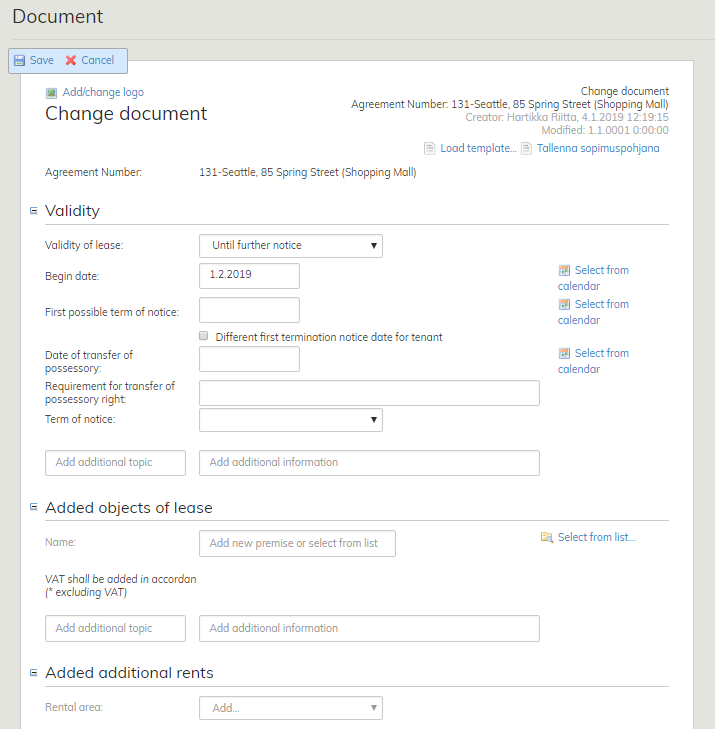
Please note that if you are terminating and adding rental areas with the same change document, the begin date of the lease term is also the end date for the areas being terminated.
The change document is filled out as the lease agreement. For more detailed instructions, see the section Filling out the lease agreement form.
Rent correction document
A rent correction document is used to change the rent of a selected rental area. If the rent is changed in one rental area, for example, you can create a separate rent correction for the affected area, rather than make changes to the entire agreement. The rent correction is displayed in a separate row in the invoice.
Find the accepted agreement that you want to work on. Select Create rent correction doc on the right of the agreement summary page.
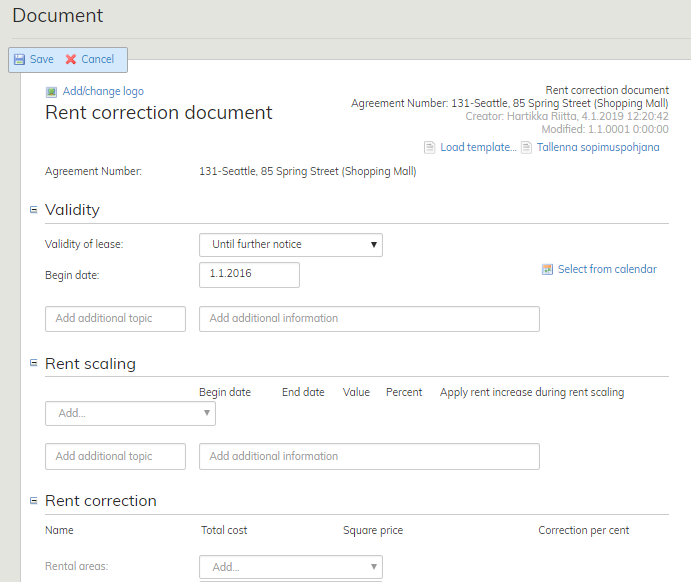
For more detailed instructions on how to enter the validity of lease, see the section Filling out the lease agreement form.
Vuokramuutosasiakirja tehdään kun sopimuksen vuokrassa tapahtuu muutos, muutosasiakirja tehdään jos jokin muu sopimuksen asioista (esim. vuokra-alue) muuttuu.
Vuokramuutosasiakirjalla voit muuttaa vuokraan liittyviä ehtoja tai itse vuokraa, joka ei liity sopimuksella sovittuun vuokrantarkistukseen.
Muutosasiakirja
Kohde irtisanotaan voimassa olevalta sopimukselta muutosasiakirjalla. Tämän jälkeen laaditaan tarvittaessa uusi muutosasiakirja, jolle poimitaan kyseinen kohde. Muutosasiakirjalle voidaan määritellä halutut sopimusehdot. Oletuksena muutosasiakirja käyttää alkuperäisen sopimuksen korotusehtoja, ehdot voidaan kuitenkin määrittää uudestaan. Muutosasiakirjaan voidaan lisätä liiteasiakirjoja. Muutosasiakirjalla ei voi muuttaa alkuperäisen sopimuksen voimassaoloehtoja > vaatii uuden sopimuksen luomisen.
Hae tehty ja hyväksytty sopimus käsiteltäväksi. Valitse sopimuksen koontilomakkeen oikeasta reunasta Luo muutosasiakirja. Tarkempia ohjeita sopimusehtojen täyttämisestä löytyy kohdasta vuokrasopimuksen täyttäminen.
Huomioithan mikäli irtisanot ja lisäät vuokra-alueita samalla muutosasiakirjalla, että Vuokra-ajan alkamispäivä on samalla myös irtisanottavien kohteiden päättymispäivä.
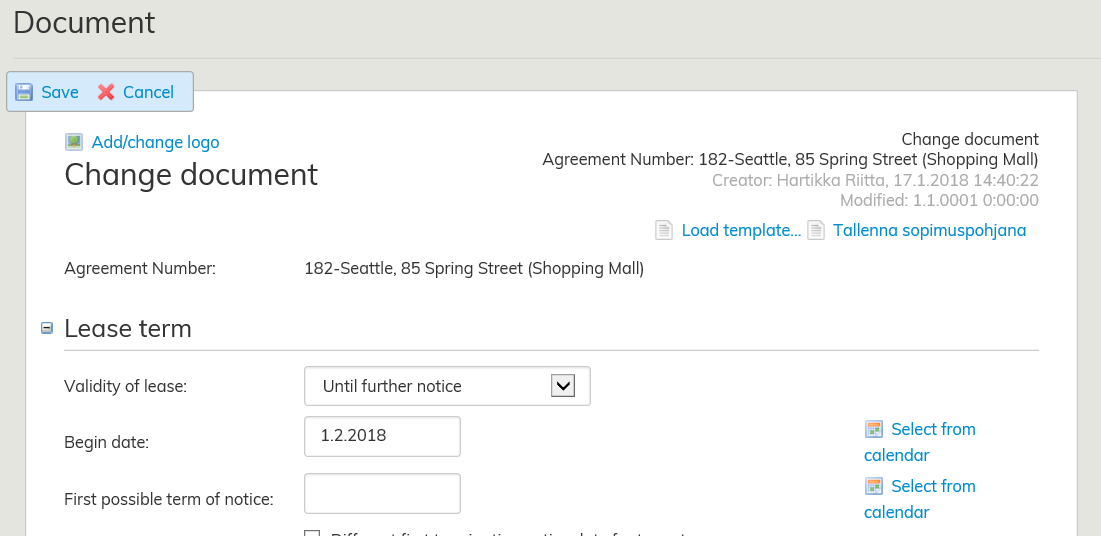
Muutosasiakirja täytetään kuten vuokrasopimus, josta tarkempi ohjeistus löytyy kohdassa
Vuokrasopimuslomakkeen täyttäminen.
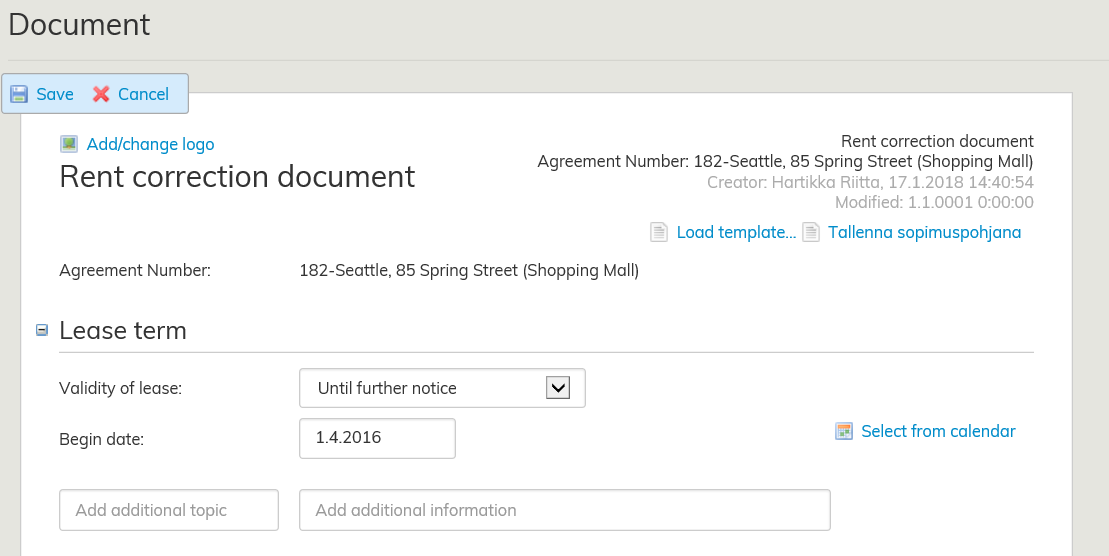
Vuokramuutosasiakirja
Vuokramuutosasiakirjalla muutetaan valitun kohteen vuokraa. Mikäli vuokramäärä muuttuu esimerkiksi yhdellä vuokra-alueella, voidaan kyseiselle vuokra-alueelle tehdä erillinen vuokranmuutos ilman että koko sopimusta tarvitsee muuttaa. Vuokramuutos tulee näkyviin laskulle erillisenä rivinä.
Hae tehty ja hyväksytty sopimus käsiteltäväksi. Valitse sopimuksen koontilomakkeen oikeasta reunasta Luo vuokramuutosasiakirja.
...