The time management in Optimaze enables you to view past space and cost information.
It will also help you to view and plan future space use and space costs.
In the Space view, you review information on the selected date.
By changing the date, you can review the situation on past or future dates.
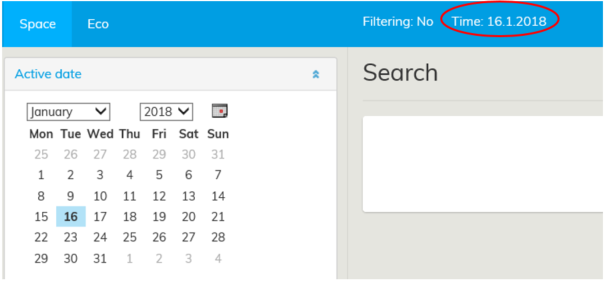
In the Space view, time management is activated by selecting the Active Date in the main menu.
The dates in review periods are always fixed, so you need to select the correct year, month and day from the calendar.
You can choose the month and year from the pull-down menu.
If you want to choose the current date, click on the calendar icon on the right-hand side.
You can select a date from past or from the future, after which reports, drawings and registers using the data from that date will open up.
The review time appears in the Time section of the top bar.
