The reports illustrated below can be found under Reporting / Outrent and Inrent.
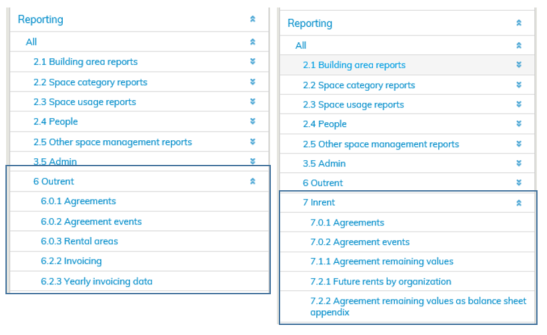
In Agreements reporting, you can view current, beginning and ended agreements, as well as detailed information on them. Under Reporting, you can also search and filter agreements according to the tenant and lease object, for example. Agreements’ extended information can be exported to Excel for processing.
In Agreement events reporting you can view agreements’ events that show changes in monthly rent and rental area, for example. Under Reporting, you can also filter events according to event types and lease objects, for example. Events’ extended information can be exported to Excel for processing.
In Rental area reporting, you can view outrent rental area information and detailed information, such as agreements tied to the areas. You can also search and filter rental areas, land and car parks under Reporting. Extended information of rental areas can be exported to Excel for processing.
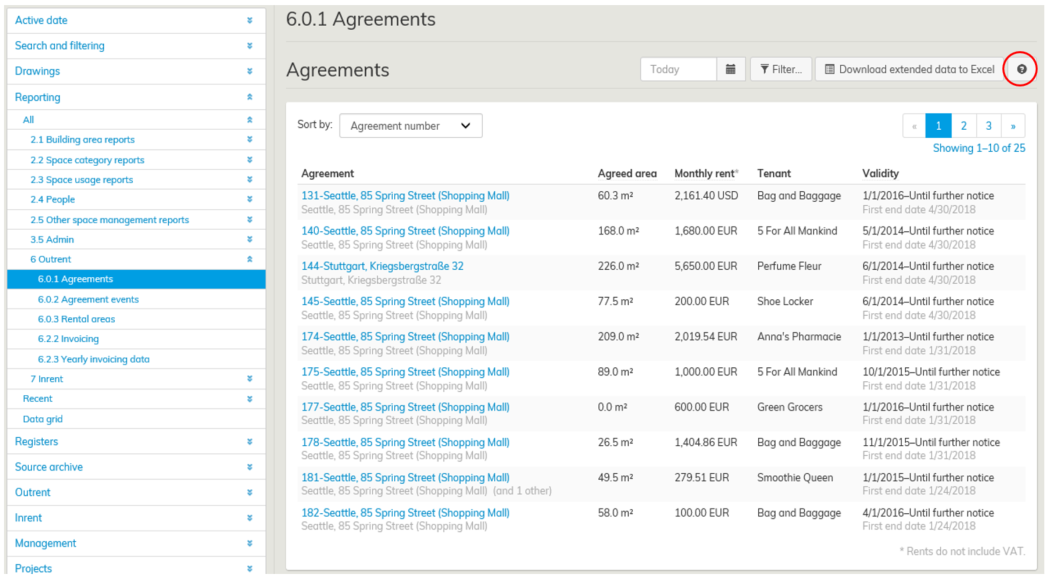
More detailed instructions on agreement, agreement events and rental area reporting can be found in the Reporting interface by clicking the question mark icon in the Reporting view.
