You can view and edit an organization in Optimaze in the organization hierarchy.
If you edit something in the organization hierarchy, their space links and history information will be lost.
| Note! |
|---|
It is recommended the make required changed to organization with an import file, in order to maintain the history and space links. |
In organization level 6, which is the lowest level, you can add persons, if persons are administered in Optimaze.
When an organization or a person is added to a space, also information on the higher levels of the organization hierarchy will be added. In reporting, you can select the level at which you wish to view the information.
| Vinkki |
|---|
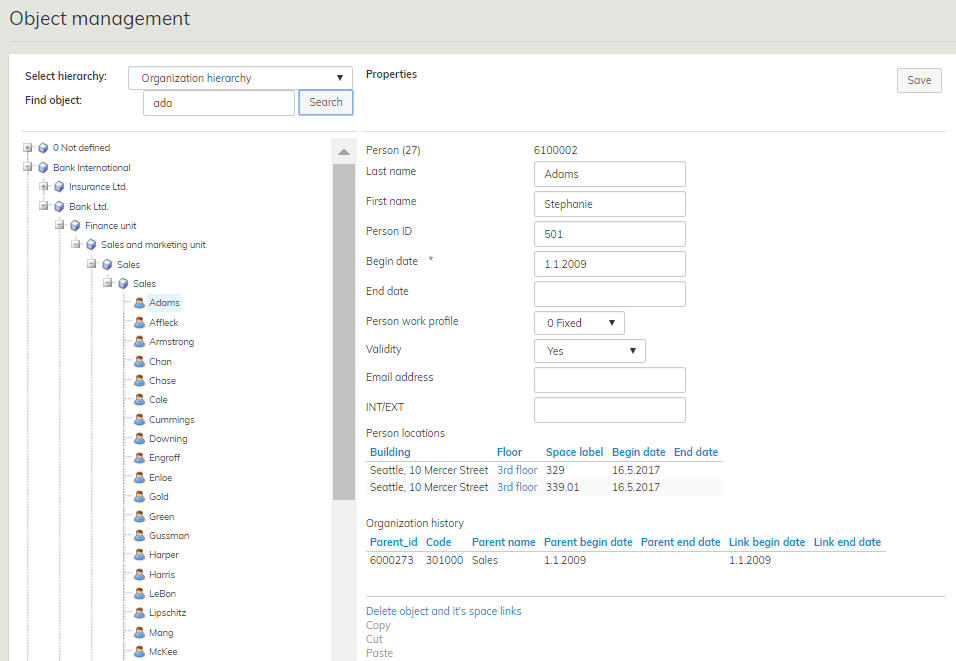
Stephanie Adams is working in the internal auditing unit for the demo database, and you can find him from the organization hierarchy by typing ‘Ada’ in the search field.
The location of the requested person is displayed in the person's information in Optimaze: Stephanie Adams is located on the 3 rd floor of Seattle, Mercer Streer in space 329 from 16 May 2017 onward. Locating Stephanie Adams in the particular space affects the higher levels of the organization in that the floor area of the particular space becomes available for Bank LTD Sales department. |
Rename organization levels in the user interface
Giving Optimaze organization hierarchy levels customer specific names is reflected in, for example, the coloring of the titles of the floor plan browser.
User can directly rename the levels themselves.
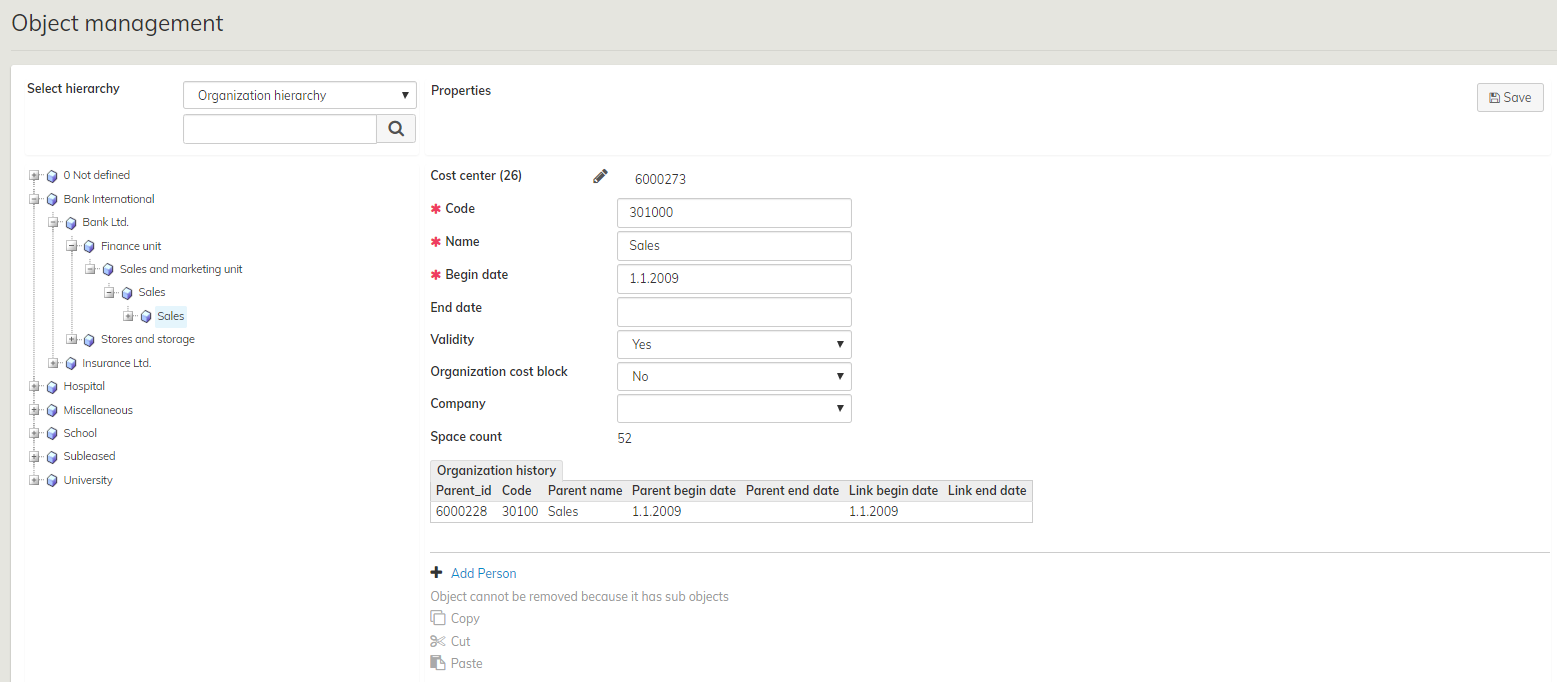
You can rename levels in Object management by clicking the pen tool next to the name of an Organization level and entering the desired name. In this example Organization level 6 has been renamed Cost center.
