Lessors can be grouped into lessor groups, which makes the agreements easier to find in the Agreement management view.
In the tree-like list of agreements in the Agreement management view, a single lessor is marked with a symbol  and a lessor group with a symbol
  .
.

You can create a new lessor group by selecting Agreement management and clicking the text Lessors. A list of options appears on the right.
Select: Create new lessor group...

The application asks for the name of the lessor that is being created. Type in the name and click Save.
Selecting a lessor group for an existing lessor
You can also select a lessor group for an existing lessor.
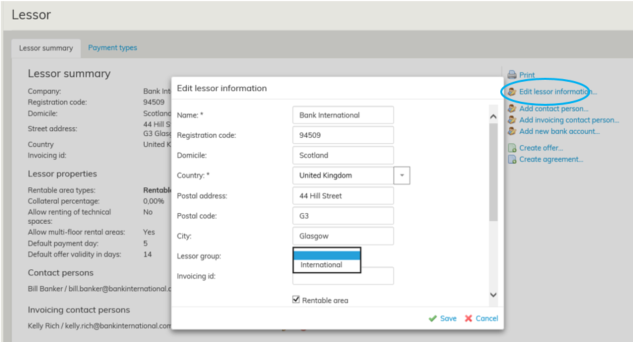
When a lessor belongs to a certain lessor group, it is listed under that lessor group in the Agreement management view.
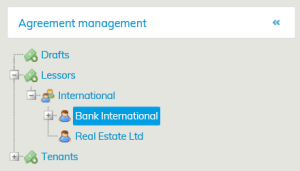
In this example, we transferred Bank International to the lessor group International.
