You must have Space management role in EG Optimaze to create an organization hierarchy.
What is an organization hierarchy?
It is a six-level hierarchy of organizations managed in EG Optimaze Moment application. After creating an organization hierarchy in Moment you can add organizations to spaces in floor plans. This feature is useful if your spaces are assigned to organizations, not if all spaces are shared by all organizations.
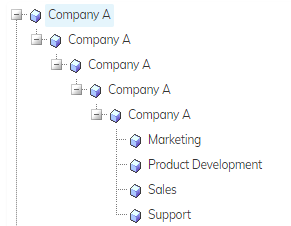
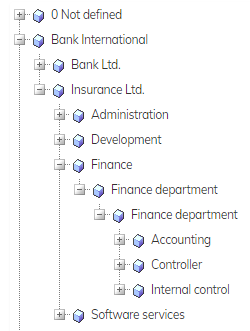
When creating an organization hierarchy, you are required to give all six levels. Here are two examples of an organization hierarchy:
Example 1:
Example 2:
Creating organization hierarchy in EG Optimaze Moment
- Log in to EG Optimaze
- Navigate to EG Optimaze Moment application
- Click Management and Object management
- Select ‘Organization hierarchy’ from the drop-down list
- Click the name of the first organization level and click Add Organization level 2
- Fill in the form and click Save
- Continue adding the organization levels until you have added all 6 levels
Next you can add organization level 6 to your floor plans. Instructions here.