Rental area is an area marked in the floor plan, and it might consist of multiple spaces.
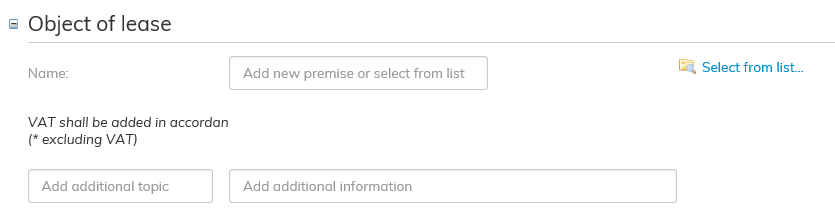
Add the object of lease that you wish to add to the lease agreement.
Click on the blue Select from list... on the right-hand side next to the Object of lease field.
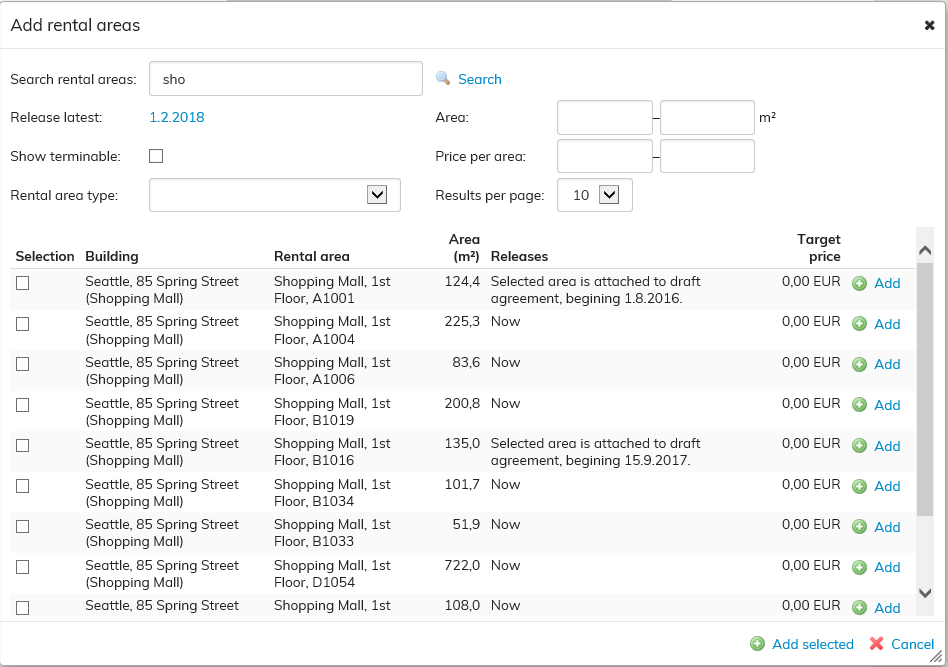
You can enter a name or a part of a name in the Add rental areas view.
The software will search for the rental areas in Optimaze that include the letters you have entered. Select a free object of lease and click Add on the right.
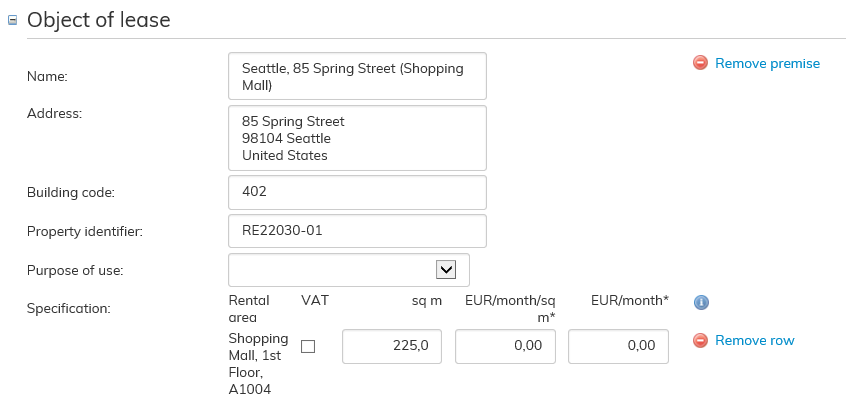
The rental area selected will be the object of lease in this agreement.
If the agreement covers multiple rental areas, you can add more rental areas to the agreement as described above.

The software notifies with a yellow triangle, if there are issues to be considered relating to the rental area in question.
When you hover the cursor over the triangle, you will see information on the issues that need to be considered when adding the rental area in question. If the issue to be considered does not prevent renting, you can add the rental area to the agreement
Target rent of the rental area
You can set a target rent for a rental area, and this will be used as the rent in the agreement by default, when the rental area is selected for the agreement. In the agreement, the rent can be changed to something other than the target rent. The modified rent is displayed in the final agreement.
You can set the target rent when creating a rental area either in the floor plan or via rental area management
Vuokra-alue on pohjakuvaan rajattu alue, joka saattaa sisältää useita tiloja.
Lisää vuokrakohde, jonka haluat lisätä vuokrasopimukseen. Paina vuokrakohteet kohdan oikeassa reunassa olevaa sinistä tekstiä Valitse listasta...
Lisää vuokra-alueita -näkymään voit kirjoittaa nimen tai nimen osan. Ohjelma tuo valittavaksi Optimazessa olevat vuokra-alueet joista kirjoittamasi kirjaimet löytyvät. Valitse vapaa vuokrakohde ja Paina oikean reunan Lisää-tekstiä.
Sopimuksen vuokrakohteeksi tulee valittu vuokra-alue.
Voit samalla tavalla lisätä useammankin vuokra-alueen sopimukselle, mikäli sopimukseen kuuluu useita vuokra-alueita.
Ohjelma ilmoittaa keltaisella varoituskolmiolla, mikäli vuokra-alueen vuokraamisessa on huomioon otettavia seikkoja.
Kun viet hiiren kolmion päälle, tulee näkyviin teksti, joka kertoo mitä vuokra-alueen liittämisessä sopimukseen tulee huomoida. Mikäli huomioitava seikka ei estä vuokraamista voit kyseisen vuokra-alueen liittää sopimukselle.
Vuokra-alueen tavoitevuokra
Vuokra-alueelle voidaan asettaa tavoitevuokra, joka tulee oletuksena sopimuksen vuokraksi, kun vuokra-alue valitaan sopimukselle. Sopimuksella vuokra voidaan muuttaa tavoitevuokrasta poikkeavaksi. Lopullisella sopimuksella näkyy muokattu vuokra.
Tavoitevuokran voi asettaa vuokra-aluetta luodessa joko pohjakuvassa tai vuokra-alueiden hallinnassa.