For rental areas which have agreement terms that differ from the main agreement, you need to create an appendix document. In practice, these different agreement terms are usually a different lease term or a different type of rent adjustment.
Appendix documents can only be created before the actual agreement has been made (i.e. before the draft agreement has been approved).
The appendix document will be added to the draft agreement as an attachment.
If you have more than one rental area with different terms but you want to add them to the same agreement, you need to make a separate appendix document for each rental area.
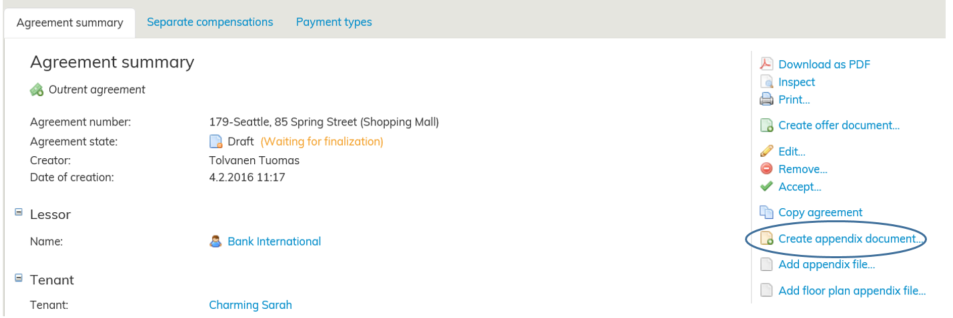
Find the draft agreement that you wish to work on. Select Create appendix document on the right of the agreement summary page.
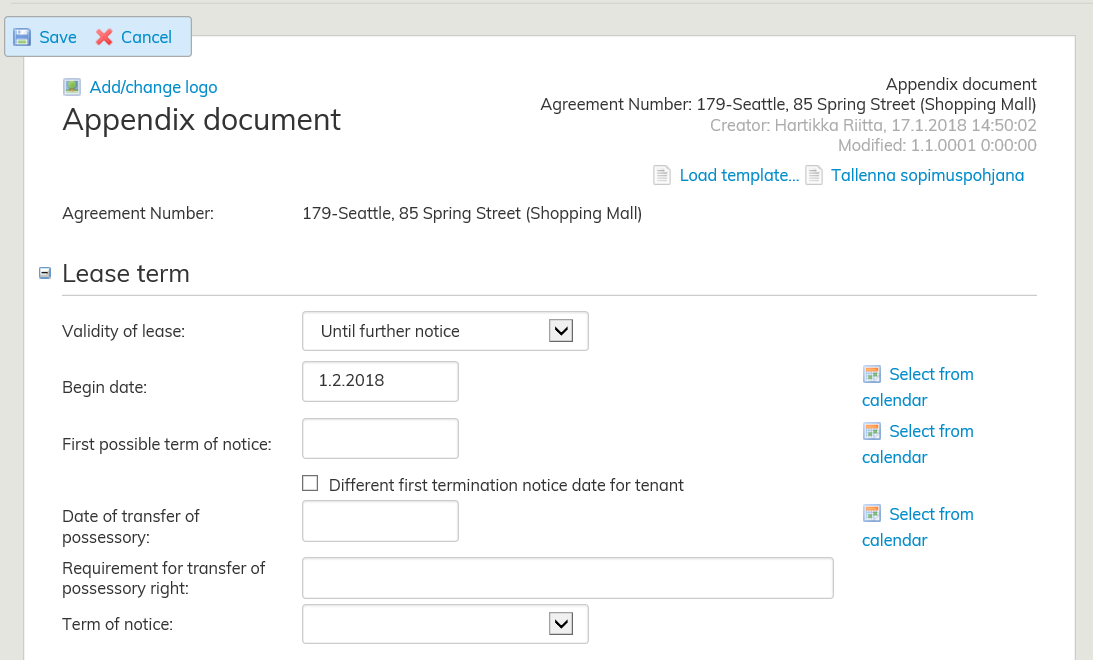
Determine the validity of lease: Until further notice or Fixed term. Enter the begin date (and the end date for a fixed-term agreement).
Add the rental area that has terms that differ from the terms of the main agreement by clicking on Select from list. You can add multiple areas, as long as they have the same agreement terms. Enter the first possible term of notice and the date of transfer of possessory right.
Select the term of notice for the appendix document from the pull-down menu. For rent adjustment, you can choose the adjustment terms of the main agreement or create a new rent adjustment term for the appendix document.
For more detailed instructions on how to enter the validity of lease, see section Filling out the lease agreement form.
